Getting Started Guide
Everything a new player needs before diving into the world of Endacopia.
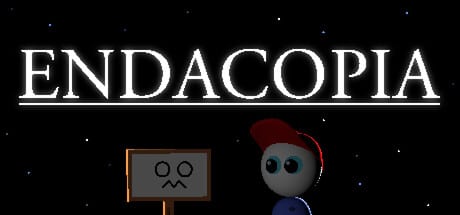
Endacopia is a surreal point-and-click adventure with horror elements, developed by AndyLand. You play as Mellow, a young boy who has lost all his senses and must navigate a nightmarish version of his home to find a way out. The game is set in a world that runs on foreign rules — nothing behaves the way you expect.
First Things First
Before you start, be aware that Endacopia contains mature content: body horror, psychological horror, jump-scares, blood, and violence. The Steam store page lists these warnings clearly. The demo is suitable for players who are comfortable with unsettling imagery.
The demo covers the opening 20 to 40 minutes of the full game, depending on how much you explore. Progress in the demo does not carry over to the full release.
Full Game (July 27, 2026)
Endacopia is out now on Steam for Windows. The complete game offers approximately 6 hours of content with multiple endings beyond the demo’s bathroom sequence.
New players buying the full game:
- Read Content Warnings before playing
- Follow this guide for controls and mechanics
- Use the Demo Walkthrough for the opening section (same as demo)
- Check Endings Guide for outcome requirements
- See Release Info for purchase links
- Learn the Save System — wandering save points, one save file
Controls Overview
Endacopia uses both keyboard and mouse. Here is the short version:
- WASD — Move Mellow around the overworld
- Left-click — Interact with objects and confirm dialogue choices
- Right-click — Cycle through available actions (listed in the manual as “do what”)
- E or I — Open the inventory
- Esc — Close menus and pause
In first-person combat sections, the controls change entirely: move your mouse left and right to position Mellow’s fists, left-click to attack (using stamina), and right-click to block incoming attacks.
For a complete breakdown, see the Controls Guide.
The Opening Area: Mellow’s Room
You begin in what appears to be Mellow’s bedroom. This first room serves as your safe room and tutorial space. Take time to examine everything — the room is packed with small gags, interactive objects, and clues about the world.
Your first real goal is to find a way out of the house. The front door is blocked, so you need to explore other rooms and solve early puzzles to progress.
Key Mechanics to Understand Early
Interaction system: Almost every object in Endacopia can be examined, picked up, or used in combination with other items. Right-click cycles through available actions when you hover over something. Do not assume a door is just a door — in Endacopia, a door can be a computer program, a portal, or a monster in disguise.
Inventory: Items you collect go into Mellow’s pockets. Open the inventory with E or I. You can select items and use them on objects in the environment. Some items are used in specific combinations to unlock new areas.
Combat: Certain encounters put you into a first-person fighting mode. You have a stamina bar — attacks and blocks both cost stamina. Running out of stamina leaves you vulnerable. Watch the enemy’s attack rhythm and block before they strike, then counter with two or three attacks before backing off.
Mini-games: The demo includes at least one mini-game (the soccer ball kicking challenge). These are optional but often required to unlock items or progress. See the Mini-Games Guide for specific tips.
Where to Go Next
If you are comfortable with the basics, continue to the Full Walkthrough for a detailed step-by-step progression. If you want to understand what you are getting into before playing, watch the official trailer above and read the Lore Overview.
Save System (Full Game)
The demo has no save system — complete it in one session. The full game features wandering save points and allows one save file at a time. See the Save System Guide for details.
Frequently Asked Questions
Q: Does Endacopia have multiple endings? A: Yes. See the Endings Guide for confirmed demo endings and full-game outcomes documented post-launch.
Q: Can I play this on a Steam Deck? A: Steam Deck compatibility is listed as unknown. The demo works with mouse and keyboard, and players have reported it runs on Steam Deck with the default controls. Complex keyboard input may be required in the full game.
Q: How long is the demo? A: Roughly 20 to 40 minutes depending on exploration. The demo ends after you use the toilet plunger and get sucked into a new area.
Frequently Asked Questions
Quick answers to common questions about Endacopia.
What platforms is Endacopia available on?
Full game: **Windows** via Steam. macOS Steam full release unconfirmed at launch; the **macOS demo** remains on itch.io.
Does the demo save my progress?
No. The demo is a fixed-length slice — progress does not carry over to the full game, and there is no save system in the demo itself.
Is Endacopia related to Petscop?
Endacopia draws inspiration from Petscop's unsettling atmosphere and non-traditional adventure structure, but it is a completely original work by AndyLand. Both games feature a child protagonist and surreal world mechanics.